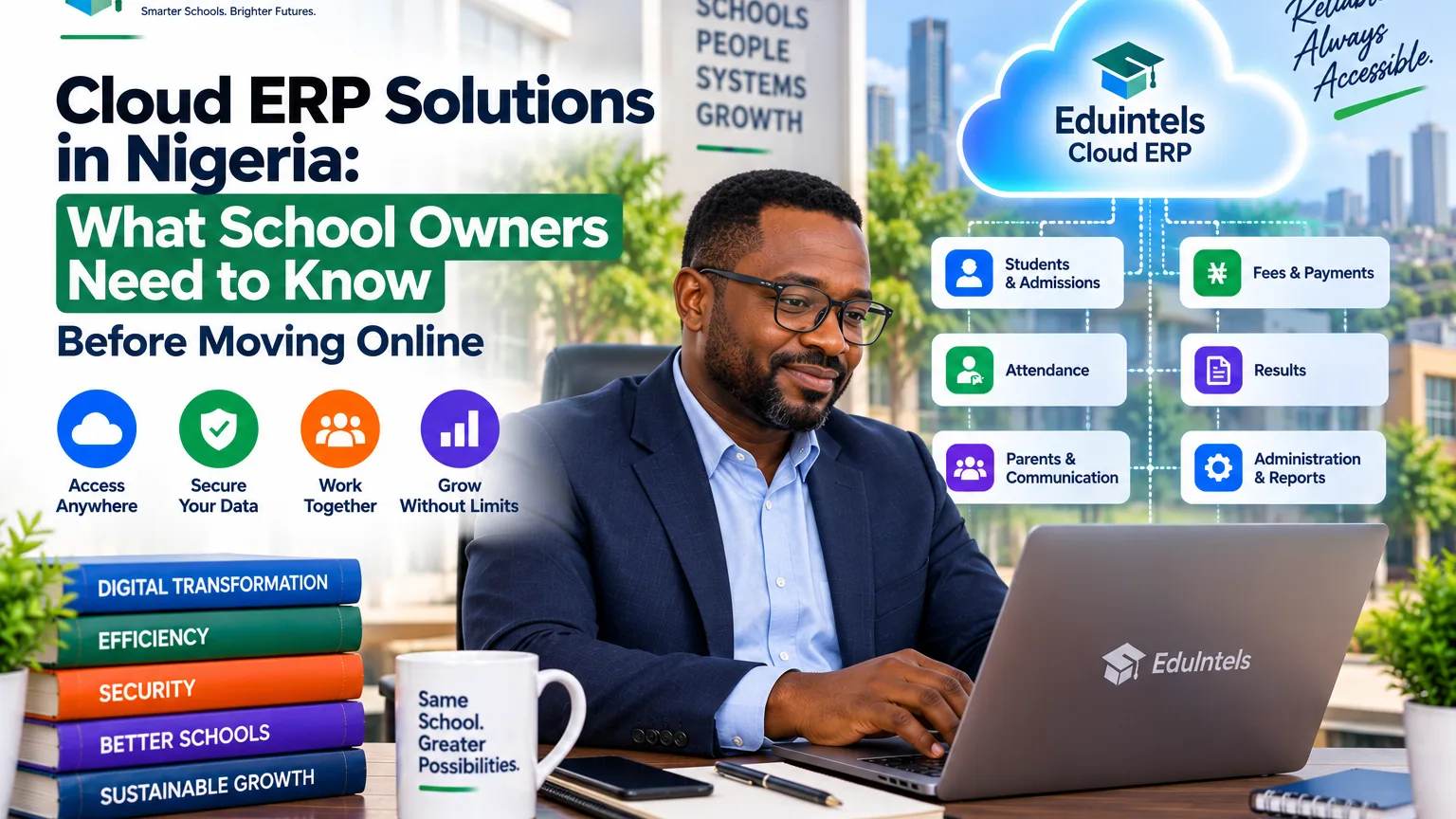
Cloud ERP solutions in Nigeria have become attractive because they reduce the need for every organisation to maintain its own server room, software installation process and local database. For schools, the promise is particularly useful: authorised users can work from one connected platform, parents can access relevant information remotely and owners can see operations even when they are not physically on campus.
However, “cloud” should not be treated as a magic word. A weakly designed online system can still have poor permissions, confusing workflows, unreliable backups or difficult data exports. A school should evaluate the operating model behind the cloud platform, not only the fact that it opens in a browser.
The right cloud ERP decision balances convenience, security, connectivity, support and long-term control of institutional data.
What cloud ERP actually means
A cloud ERP is hosted on infrastructure managed outside the school’s local computers and is normally accessed over the internet through a browser or application. The vendor is responsible for much of the server environment, software deployment and platform maintenance, while the school manages its users, internal policies, data quality and day-to-day use.
This is different from a traditional on-premise system installed on a school-owned server or individual computers. On-premise software can offer greater direct infrastructure control, but it also places more responsibility on the school for hardware, backups, updates, security and technical support.
Neither model is automatically better in every situation. The correct choice depends on the institution’s technical capacity, risk tolerance, locations, budget and need for remote access.
Why cloud delivery fits many growing Nigerian schools
Schools often have users in different places: administrators in the office, teachers in classrooms, owners off-site, parents at home and perhaps several campuses across a city or state. A cloud platform gives those users a common operating base without requiring them to work on one local network.
Updates can also be deployed centrally. Instead of installing a new version on many computers, the provider can update the platform once. This can reduce local maintenance burden and make it easier for smaller schools to use capabilities that would otherwise require dedicated IT staff.
The advantage is strongest when the platform is responsive on ordinary devices and the school has a realistic plan for connectivity.
Internet reliability should be designed into the operating process
A cloud system depends on connectivity, so the school should understand which workflows are most sensitive to an outage. Fee reporting can often wait for a connection to return, while attendance taken during morning assembly may be more time-sensitive. The school should decide what staff do when internet service is temporarily unavailable.
Redundancy may be practical for important offices. For example, the administration team may maintain access to more than one internet provider or a mobile hotspot for critical periods. The aim is not to make the school immune to every outage. It is to prevent a single connectivity problem from turning into operational confusion.
During a demonstration, test the system on the types of connections and devices your staff actually use, not only on a fast office network.
Cloud access must still be role-based and accountable
Remote access increases convenience, but it also makes access governance more important. A user should not gain broad authority simply because they know the web address. Accounts, roles, permissions and sensitive actions need clear controls.
Ask whether the platform records login attempts, sessions and important administrative actions. Check how password resets work, how former employees are disabled and whether users can be restricted to the school or branch they are authorised to manage.
For a multi-school platform, ask how institutional data is separated. The provider should be able to explain the architecture in plain language without exposing sensitive implementation details.
Backups and recovery are different from simply storing data online
Putting records in the cloud does not automatically answer the backup question. Ask the provider how operational data is protected, how backup and recovery practices are organised and what happens after a serious incident. The exact technical design may vary, but the company should have a documented process.
Schools should also decide which exports or archival records they need to retain independently. For example, year-end academic records, financial reports and approved statutory documents may need a defined retention approach that is broader than the ERP itself.
A good cloud strategy combines vendor resilience with institutional governance.
Data portability matters more when the vendor hosts the system
Cloud ERP makes the provider an important custodian of day-to-day operating data. That relationship should not prevent the school from retrieving its own legitimate records. Ask which exports are available, whether the files are usable outside the platform and what the exit process looks like if the school changes systems later.
Portability is also useful before exit. Management may want to analyse data in Excel or another reporting tool, provide information to auditors or preserve year-end archives.
The safest vendor relationship is one in which the school stays because the service is valuable, not because its data is trapped.
Cloud ERP can simplify multi-campus management
A school group with several campuses gains particular value from a shared cloud environment. Each campus can work with its authorised records while leadership views agreed indicators across the group. Staff who have legitimate responsibilities in more than one school can be given controlled access without maintaining completely separate installations.
The system should still respect boundaries. Branch-level users should not automatically see everything in the group. The platform should also make it clear which school context a user is working in to reduce accidental changes.
This combination of shared infrastructure and controlled separation is one of the strongest reasons growing school groups consider cloud ERP.
Security is a shared responsibility between provider and school
The provider is responsible for important technical controls, but the school remains responsible for how it creates users, assigns permissions, protects credentials and handles personal information. A secure platform can still be misused if every employee shares one administrator account.
Create an internal access policy. Staff should have named accounts, appropriate permissions and a clear process for role changes or departure. Sensitive activities should be restricted to people with approved responsibility.
The Nigeria Data Protection Act 2023 also makes responsible handling of personal data an organisational concern. Schools should understand what personal information they collect, why they collect it, who can access it and how long it is retained.
Mobile usability matters because many users will not sit at a desktop
A cloud platform should be tested on phones and tablets as well as laptops. Parents may never open a desktop browser. Teachers may take attendance from a mobile device. An owner may review key indicators while travelling.
Responsive design is only part of the test. Check whether important screens remain understandable, whether forms are practical to complete, whether reports can be viewed without excessive zooming and whether the number of steps is reasonable on a smaller screen.
Cloud access is valuable only when the people who need the system can actually use it in their normal context.
Cloud does not remove the need for implementation and training
Because cloud software is easy to open, organisations sometimes assume it is easy to adopt. Those are different things. Staff still need clean records, agreed workflows, role assignments, training and management expectations.
If the school uploads poor data and allows every department to continue its old process, the new platform will not create integration by itself. The migration should define which system becomes authoritative and when the old workflow stops.
The best cloud ERP projects are operational change projects supported by technology.
How EduIntels approaches cloud-based school operations
EduIntels is designed as an online, connected school operating platform. Its public architecture emphasises shared records, role-aware access, modular rollout, multi-branch capability, dashboards, integrations and guided onboarding. The platform is intended to connect administration, finance, academics, communication and other operational functions in one environment.
For a school considering EduIntels, test the cloud experience in the exact conditions you expect to use it. Open the parent experience on a phone. Review the owner dashboard away from the office. Switch between authorised schools if you operate multiple branches. Ask what happens when a user loses access or when an important service experiences an incident.
A good cloud demo should show both convenience and control.
A practical cloud ERP readiness checklist
Before migration, confirm that the school has an internal project owner, a list of users and roles, an agreed set of records to migrate, a plan for internet resilience and a defined support route. Decide which workflows will launch first and which old tools will be retired after validation.
Then set measurable adoption goals. Examples include the percentage of active staff using named accounts, the percentage of fee transactions captured through the agreed workflow, the percentage of classes completing attendance and the number of parent enquiries that can be resolved through self-service.
These measures tell you whether the cloud platform is becoming the school’s operating system rather than another website staff occasionally visit.
Decision point for school owners
Cloud ERP solutions in Nigeria can give schools a strong combination of accessibility, central management and scalability, especially when the institution has remote leaders or more than one campus. The model is most effective when the school also takes access control, connectivity, data governance and staff adoption seriously.
Do not choose cloud ERP because “everything is moving online”. Choose it because the operating model gives your school better control with less local infrastructure burden. Then verify that the provider can protect access, support your users, recover from problems and return your data in usable formats when required.
|
Next step: Ask EduIntels to demonstrate the platform on the devices, user roles and multi-campus scenarios your school will actually use, including data export and access-control workflows. |
Source Notes
· EduIntels platform overview, security, integrations and multi-branch pages, September 2026
· EduIntels current platform database architecture supplied for this content package, September 2026
· Nigeria Data Protection Commission / Nigeria Data Protection Act 2023
· Search-market review of cloud ERP and school ERP offerings in Nigeria, September 2026