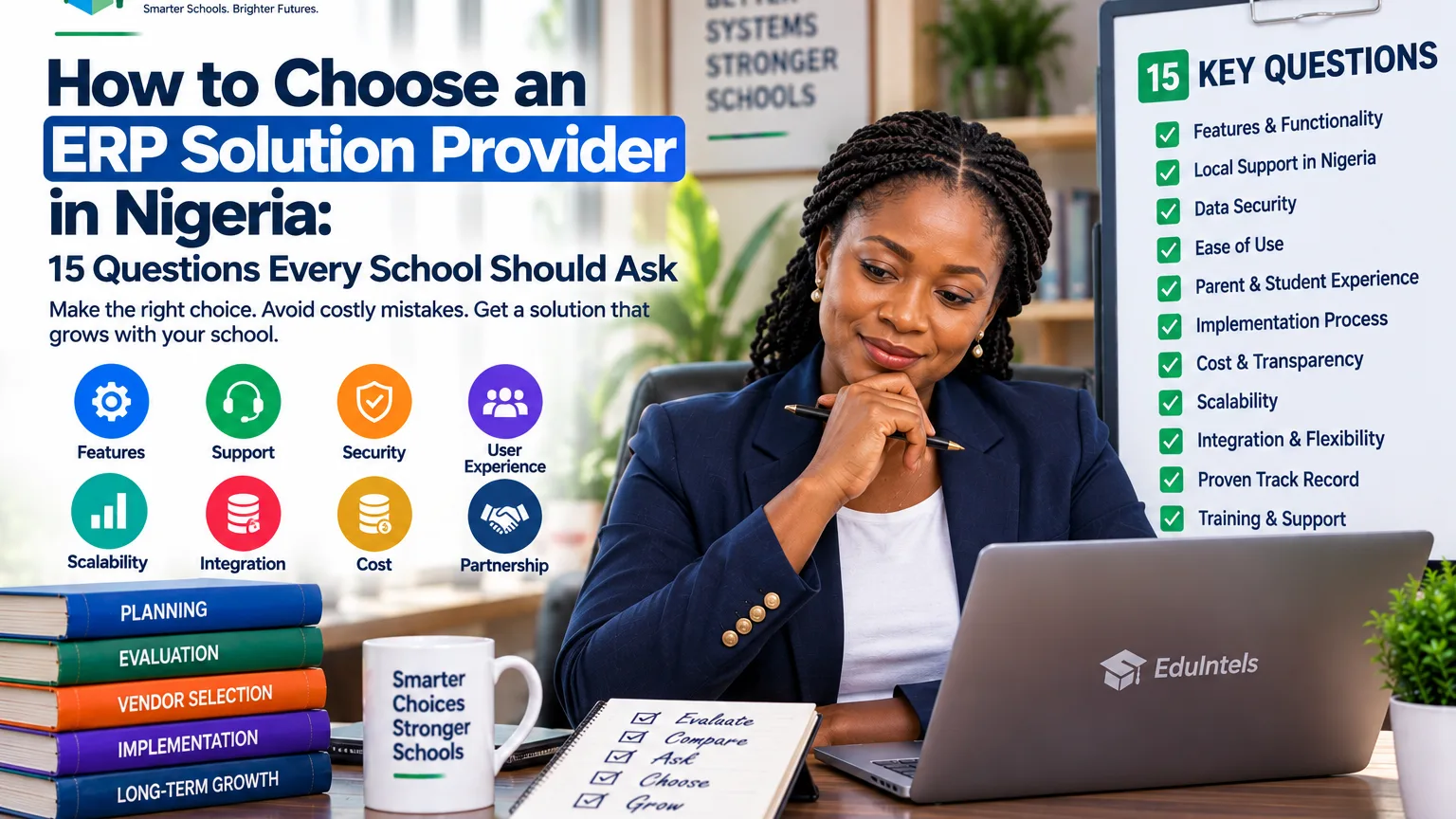
Choosing an ERP solution provider in Nigeria is not the same as buying a normal software subscription. The provider may influence how your school stores records, collects money, publishes results, communicates with parents, trains staff, handles access and scales into new campuses. A weak choice can create years of workarounds. A strong choice can reduce operational friction and give the institution a more dependable management system.
The difficulty is that most demos happen under ideal conditions. The data is clean, the internet is fast, every screen is prepared and the salesperson knows exactly where to click. Your school will operate under different conditions. Staff will forget steps, parents will make unusual payments, student records will need correction, employees will leave, classes will change and management will ask for reports the vendor did not show in the presentation.
That is why school owners should evaluate the provider as carefully as the product. The following fifteen questions move the conversation from “What features do you have?” to “Can this company help us run our school better?”
1. Is the ERP designed around school workflows or adapted from another industry?
A generic ERP can be excellent for finance, inventory or human resources and still be awkward for academic operations. Ask the provider to show how it handles sessions, terms, classes, subjects, guardians, admissions, attendance, assessment, results and progression. These should feel like native concepts rather than custom labels added to a business system.
The school should not have to redesign its entire academic language simply to fit the software. Some process improvement is healthy, but the platform should understand the basic structure of education.
2. How many times will staff re-enter the same information?
This is one of the fastest ways to test integration. Create one learner during the demonstration and follow that record into class placement, fees, attendance, results and parent access. If staff must create the same person independently in several modules, the ERP is still fragmented behind the interface.
The provider should be able to explain which records are shared, which are separate for good reasons and how changes flow across connected workflows.
3. Can the finance workflow handle the way our school actually charges fees?
Do not stop at invoice creation. Ask about class-specific fee plans, instalments, part payments, discounts, scholarships, arrears, credits, payment links, receipts, reconciliation and corrections. Then give the provider a realistic scenario with an unusual payment and ask them to process it.
Finance becomes difficult at the exceptions. A product that works only when every parent pays the exact amount on the exact date will create manual work in a real Nigerian school.
4. Can teachers and administrators complete a full academic cycle inside the system?
Ask the provider to move from subject setup to teacher allocation, assessment configuration, score entry, review, approval and report publication. If the demonstration jumps directly to a finished report card, you have not tested the most labour-intensive parts of the process.
Also check how corrections are handled. A school needs a controlled way to fix genuine mistakes without losing all history of what changed.
5. What does the parent experience look like on a normal phone?
Parents are important users even when they never touch the administration console. Test the portal or mobile experience with a typical smartphone. Can a parent understand fees, receipts, attendance, results, announcements and the records available to them without calling the school for instructions?
Also test a family with more than one child. The relationship should be simple for the parent while keeping each learner’s records properly separated.
6. How are roles, permissions and sensitive actions controlled?
Ask to see the difference between a teacher, bursar, administrator, owner and parent account. Who can view finance? Who can edit a student? Who can publish results? Who can change permissions? Which activities are logged?
Role-based access should be specific enough to reflect real responsibilities. “Admin” and “user” are rarely enough for a growing institution.
7. Can the platform support more than one campus without creating separate silos?
If expansion is part of your strategy, test multi-school capability before you need it. Ask how users switch between authorised schools, how branch data is separated, how common standards are maintained and what consolidated reporting looks like.
A school group should not have to rebuild its technology architecture every time it opens a branch.
8. What exactly happens to our existing data during migration?
Most schools do not begin with clean data. Names may be duplicated, phone numbers may be outdated, balances may conflict and old spreadsheets may use different class names. Ask what the provider will import, what needs cleaning first, who maps fields and how the school validates the result.
A responsible provider should treat migration as a controlled project, not a promise to “upload everything”. Bad data moved into a new ERP becomes faster bad data.
9. Which integrations are available and who supports them?
Schools may need payment gateways, SMS, email, identity systems, devices, accounting exports or other approved services. Ask which connections are already supported, which require extra work and whether additional charges apply.
Also ask who owns support when the problem sits between two systems. Integration failures become frustrating when every vendor says the other party is responsible.
10. Can we export our own records in usable formats?
A school should be able to retrieve legitimate operational records for analysis, audit, backup or migration. Ask the provider to show actual exports rather than simply saying “your data belongs to you”.
Check the important categories: students, guardians, finance, academic records, attendance and reports. Data portability reduces vendor lock-in and strengthens institutional control.
11. How does the provider approach data protection and security?
Ask about access control, session security, password practices, audit trails, backups, incident handling and how one school’s data is separated from another where the platform is multi-tenant. The answers should be understandable and specific.
Nigeria’s data-protection framework places real responsibilities around personal data. A vendor should be able to explain its security approach without hiding behind vague claims such as “bank-level security”.
12. What implementation, training and support are included?
Software adoption depends heavily on people. Ask who configures the system, who trains the bursar and administrators, whether teachers receive role-specific guidance and what support channels are available after go-live.
Then ask what support means in practical terms. Is there an onboarding lead? Is support limited by plan? Are urgent issues handled differently from normal questions? What information does the school need to provide when reporting a problem?
13. What happens during downtime, failed jobs or other operational incidents?
No serious technology provider should pretend that software never experiences problems. Ask how the company monitors system health, records incidents, handles failed background jobs, communicates service problems and restores normal operation.
The goal is not a promise of perfection. It is evidence that the provider has operational discipline when something goes wrong.
14. What is the total cost beyond the headline subscription?
Ask about setup, migration, training, integrations, SMS, payment charges, additional schools, extra modules, devices, custom reports and future upgrades. A cheap monthly figure can become expensive if the school must pay separately for the workflows it actually needs.
At the same time, do not assume the highest price means the best fit. Compare cost with the administrative time, errors and duplicated work the ERP is expected to remove.
15. What does success look like ninety days after we pay?
A provider should be able to describe the first phase after purchase. Which records are prepared first? Which users are trained? Which modules go live? How is adoption measured? What happens if staff continue using old spreadsheets?
A clear ninety-day answer reveals whether the vendor thinks about implementation or only sales. The school should leave the buying process with an operating plan, not only login credentials.
Use proof-of-work, not presentation quality, to make the final decision
Once the fifteen questions are answered, run a proof-of-work session. Give each shortlisted provider the same set of realistic scenarios and ask them to perform the workflows live. Include at least one exception such as a part payment, class transfer, result correction or parent with multiple children.
Invite the people who will use the platform every day. The proprietor may focus on dashboards, while the bursar notices a reconciliation weakness and the examination officer sees a scoring issue. Cross-functional evaluation reduces the chance of buying a platform that looks impressive but creates friction for the team.
How EduIntels should be tested against this checklist
EduIntels is built around connected school operations and currently exposes modules and architecture across administration, academics, finance, engagement and wider school operations. The platform also supports role-based access, multi-school contexts, reporting, audit activity and a guided implementation approach.
Do not rely on those claims by themselves. Use this checklist during the EduIntels demonstration. Ask the team to show your fee structure, your academic cycle, your parent journey, your permissions and your reporting needs. If you are moving from spreadsheets, ask how your actual data would be cleaned, mapped and validated.
The goal is a buying decision based on evidence. A good provider should welcome specific questions because the right school is more valuable than a rushed sale.
Decision point for school owners
The best ERP relationship is a combination of software fit and implementation capability. Your school needs a platform that can handle real workflows, but it also needs a provider that can help people adopt the platform, protect data, solve problems and expand the system as the institution grows.
Use the fifteen questions as a standard scorecard for every provider you speak with. Record the answers, verify the most important claims in a live demonstration and compare the evidence after the meetings. That process will make the final decision more disciplined and much easier to defend.
|
Next step: Use the 15-question scorecard in a tailored EduIntels demo and require live proof of your school’s real finance, academic, parent and reporting workflows. |
Source Notes
· EduIntels official platform, modules, implementation and security pages, September 2026
· EduIntels current database architecture supplied for this content package, September 2026
· Nigeria Data Protection Commission / Nigeria Data Protection Act 2023
· Search-market review of Nigerian ERP and school-management providers, September 2026