
Buying school management software is no longer a technology decision alone. For a school owner, it is an operating-model decision. The system you choose will influence how fees are billed and reconciled, how student records are maintained, how teachers enter scores, how parents receive information, how administrators work and how quickly you can see what is happening across the school.
That is why comparing platforms by feature count can be misleading. Almost every serious product can say it has students, results, fees and attendance. The real differences appear in the workflows between those modules: whether data is entered once or repeatedly, whether permissions are properly controlled, whether balances reconcile, whether parents can find what they need, whether reports are decision-ready, and whether the platform still works when the school grows.
For Nigerian school owners, the practical question is therefore not, “Which software has the most features?” It is, “Which system will remove operational friction, protect our records, improve financial visibility and make the school easier to manage?”
Start with the problems you are paying to solve
A school should not buy software because digital transformation sounds modern. Begin with the recurring problems that cost time, money or trust. Perhaps your bursar spends days reconciling transfer screenshots. Maybe teachers submit scores through several spreadsheets. Perhaps parents keep calling to confirm balances, attendance or results. Maybe management cannot get a reliable enrolment number without asking three people. These are not small inconveniences; they are signs that information is fragmented.
Write down the five to ten workflows that consume the most administrative effort. Examples include enquiry-to-admission, student registration, invoice-to-receipt, attendance-to-parent notification, score-entry-to-report-card, staff permissions, term promotion and management reporting. During a software demonstration, insist on seeing those workflows end to end. A polished dashboard is useful, but the daily transaction path is where value is created.
This approach also prevents overbuying. A platform may advertise dozens of modules that your school will not use this year. It may still be the right system if the foundation is strong, but the buying case should rest on measurable operational problems rather than novelty.
One source of truth matters more than ten disconnected tools
Many schools already use technology, but in fragments. The admissions officer has one spreadsheet, the bursar another, teachers keep score sheets, parents receive WhatsApp messages, receipts sit in accounting folders and management receives summaries prepared manually. Each tool may work on its own, yet the school as a whole still depends on people moving the same information between systems.
A good school ERP reduces that duplication. A student admitted into the school should not need to be recreated independently in finance, academics and the parent portal. A payment should update the learner’s account. A class placement should feed the correct attendance and result workflow. When the same underlying record powers several processes, errors fall and reports become more trustworthy.
Ask every vendor a simple question: “How many times will my staff have to re-enter the same information?” The lower the number, the stronger the operational design is likely to be.
Fee management must go beyond recording payments
For many private schools, finance is the first place where software either proves its value or becomes a disappointment. Basic fee tracking can show invoices and balances, but a useful system should support the realities of term-based billing: different fee plans, instalments, part payments, discounts, arrears, receipts, outstanding balances and clear audit trails.
School owners should also distinguish payment collection from payment recording. If parents still send screenshots to a personal WhatsApp number and staff manually confirm every transfer, the core reconciliation problem has not disappeared. The stronger workflow is one in which invoices, payment references, confirmations, receipts and balances are connected as closely as possible.
Management visibility is equally important. You should be able to answer questions such as: how much has been billed, how much has been collected, what remains outstanding, which classes have the highest unpaid balances and what changed since yesterday. Financial software earns its place when it shortens the distance between a transaction and a reliable management decision.
Check the academic workflow, not just the report-card design
Results are highly visible to parents, so schools often focus on how the final report card looks. The deeper issue is the workflow that produces it. Teachers need appropriate access to their classes and subjects. Continuous assessment and examination scores need validation. Grading rules should reflect the school’s structure. Administrators may need approval stages before publication. Corrections should be traceable rather than silently overwriting history.
A good result system also reduces end-of-term panic. The ideal process is progressive: scores are entered, reviewed and completed within the platform instead of being assembled from many files at the last minute. This reduces transcription errors and makes it easier to see which teachers, classes or subjects are incomplete.
During evaluation, ask the vendor to demonstrate an entire term cycle from subject setup to score entry, approval, broadsheet or analysis and final report publication. If the demonstration jumps directly to a beautiful PDF, you have not yet seen the hardest part.
Parents need a real service experience
Parents increasingly expect schools to communicate clearly and respond quickly. A parent portal should not exist merely so the vendor can tick a feature box. It should make common questions easier to answer without requiring a phone call to the school office. Fees and receipts, results, attendance, announcements, schedules and relevant records should be understandable from a parent’s perspective.
This has a commercial effect. Parents judge a school partly by how professionally it handles information. Conflicting balances, missing receipts, late results and inconsistent messages can damage trust even when teaching quality is good. Conversely, a predictable digital experience signals administrative competence.
The best test is to let a non-technical parent use the portal during your evaluation. If they need constant explanation, adoption will be difficult. Software must work for the least technical important user, not only for the administrator who configured it.
Security and permissions are not optional extras
A school stores sensitive information about children, families, employees and finances. That means role-based access should be part of the buying decision. Teachers should not see financial data they do not need. Finance staff should not automatically receive unrestricted access to every academic or HR record. Parents should see only the children legitimately linked to them. Platform administrators should be distinguishable from school-level users.
Ask how permissions are assigned, how login activity is recorded, how former staff are disabled, how backups are handled and how the system separates one school’s data from another. Also ask how the vendor approaches the Nigeria Data Protection Act and general data-protection obligations. The answers do not need to be full of jargon, but they should be specific.
Convenience without access control is not modernisation. It is merely moving risk from paper to the cloud.
Look for leadership visibility, not only staff automation
A school owner should gain more than faster clerical work. The system should improve management visibility. Useful dashboards can show enrolment, active students, collections, outstanding invoices, applications, attendance, classes, staff activity and other operational indicators in one place.
The purpose is not to turn leadership into surveillance. It is to reduce dependence on verbal updates. When the owner can see reliable indicators directly, meetings become more focused. Instead of asking, “What is happening?” leadership can ask, “Why did this number change, and what action do we need?”
This distinction is important for owners who manage from another location or operate more than one campus. A platform that centralises operations and provides role-appropriate reporting can become part of the governance structure of the school.
Test implementation, support and adoption before signing
The strongest software can fail if implementation is weak. Ask what happens after payment. Who helps configure the school? How are existing student records imported? How are fee plans, classes, terms and grading structures set up? Who trains the bursar, administrators and teachers? What support channel is available when staff become stuck?
You should also ask what a realistic first 30 days look like. A credible provider should be able to describe a phased adoption sequence rather than promising that every module will transform the school overnight. It may be better to stabilise identity, students, staff and fees first, then expand into deeper academic, communication and analytics workflows.
Adoption should be measured. If staff quietly return to notebooks and spreadsheets after launch, the school has paid for software but not changed its operating system.
Where EduIntels fits this buying checklist
EduIntels is designed around the connected-school principle: admissions, student administration, staff, fees and billing, attendance, exams and results, communication, parent and student access, reporting and analytics are intended to operate as coordinated workflows rather than isolated screens. The platform also uses role-based access so different users can work in appropriate spaces.
For a school owner evaluating EduIntels, the right next step is not to rely on this article. Take your own problem list into a live demonstration. Ask the team to show how your school would handle a new admission, a term invoice, a part payment, a result cycle, a parent enquiry and an owner-level report. Compare what you see with your current process.
The purchasing decision should become easy only when the operational case is clear: less duplication, stronger control, better visibility, better parent service and a platform capable of growing with the institution.
Calculate the real return before comparing subscription prices
A software subscription should be compared with the operating cost it replaces. Estimate how many staff hours are currently spent reconciling fees, merging result files, preparing management summaries, correcting duplicate records and answering routine parent questions. Then attach a conservative monthly value to that time. Add the cost of printing, duplicated data entry, delayed decisions and preventable errors. The objective is not to manufacture a dramatic savings figure; it is to stop treating the current process as free simply because its cost is hidden inside salaries and stress.
Next, identify the gains that are harder to price but still commercially important: faster admission follow-up, quicker payment confirmation, better parent experience, cleaner audit history and stronger owner visibility. A platform can be worthwhile even when it does not reduce headcount, because it allows the same team to support a larger school with fewer operational breakdowns.
When comparing plans, ask which modules and user groups are included, whether there are setup or migration charges, how pricing changes as enrolment grows, and what support is included. A lower headline price can become expensive if essential workflows require separate add-ons or manual workarounds.
Run a live proof-of-work demonstration
A normal sales presentation shows the best parts of a product. A proof-of-work demonstration shows whether the product fits your school. Give the vendor a realistic scenario before the meeting: one new learner, two guardians, a term fee with part payment, an attendance record, a teacher entering scores and an owner reviewing the outcome. Ask the team to perform the workflow rather than explain that it is possible.
Watch the number of clicks, the clarity of each screen and what happens when something goes wrong. Can a payment be corrected without destroying the audit trail? Can a teacher see only the classes assigned to them? Can a parent with two children switch between them safely? Can the owner see school-level information without entering several modules?
Invite the people who will use the system daily. A proprietor may love the dashboard while the bursar sees a reconciliation problem or the administrator notices that admission data will still need re-entry. Buying software with cross-functional input improves adoption and reduces unpleasant surprises after payment.
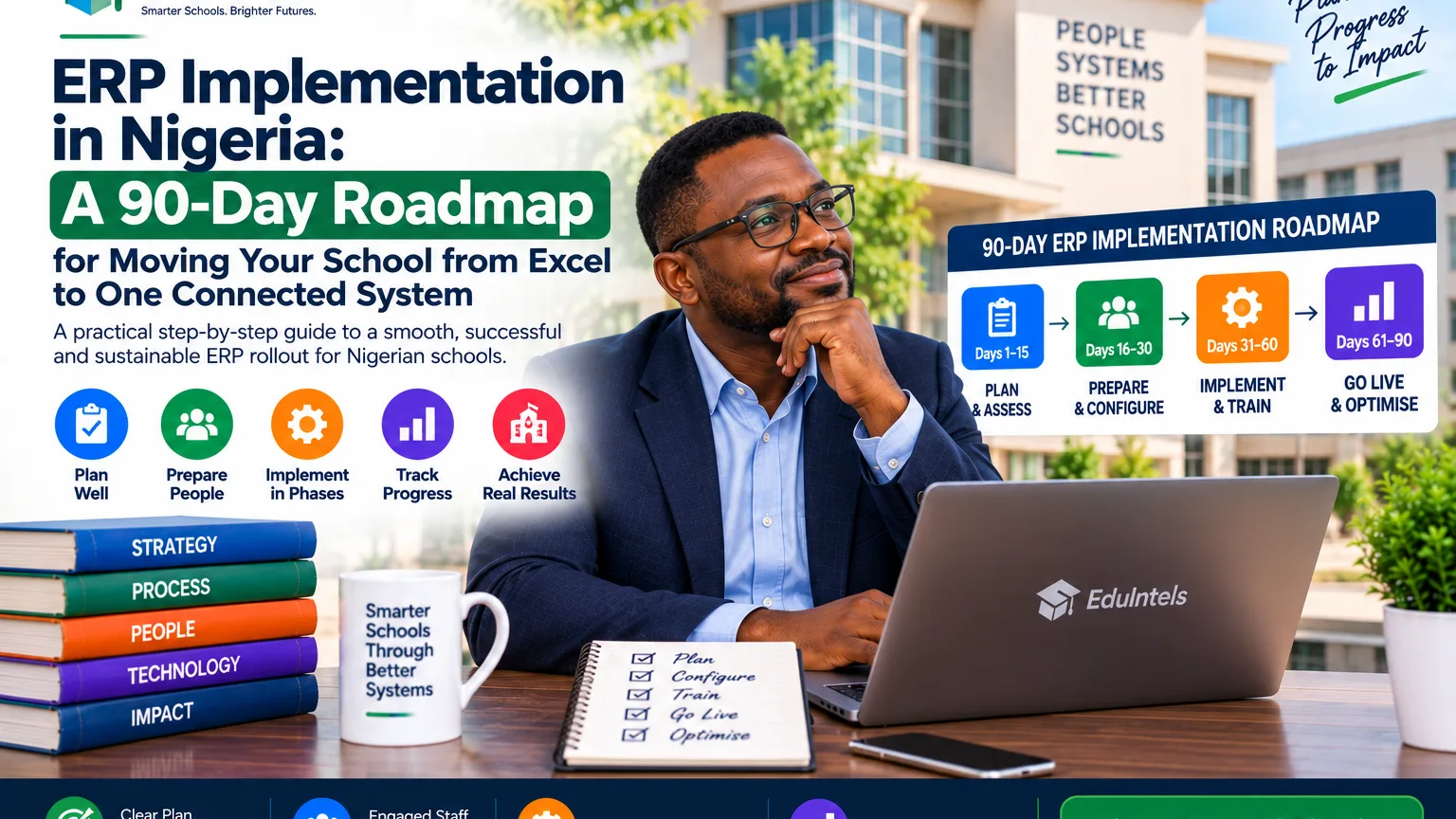
Plan the first 90 days before go-live
The first ninety days should have a sequence. Begin with data quality: remove duplicate learners, confirm parent contacts, identify active staff, close old accounts and agree on naming conventions. Then configure the school structure, session, terms, classes, subjects, fee plans, permissions and other foundations. Only after that should the school expect reliable dashboards.
Choose a limited number of workflows for the first phase. Student records and fees often create immediate value because they affect many departments. Attendance, results, parent access and other modules can follow as staff confidence grows. Trying to activate everything simultaneously can make a good system feel complicated.
Set adoption measures such as percentage of active staff logged in, percentage of payments recorded through the agreed workflow, percentage of classes completing attendance and number of routine parent enquiries that move to self-service. Adoption data tells you whether implementation is becoming operational reality.
Use a final buyer checklist before you commit
Before paying, confirm that the platform supports your current school type and academic structure, provides clear role-based access, can import or recreate essential records, supports your finance realities, gives parents an understandable experience and can produce the reports leadership actually uses. Confirm data-export options as well; a school should be able to retrieve its legitimate records in usable formats.
Ask who owns implementation, how support requests are handled, what service interruptions look like, how backups and security incidents are managed, and what happens when your school grows. Read the subscription terms rather than relying only on verbal promises.
Finally, decide who inside the school is accountable for success after purchase. A platform without an internal owner often becomes everybody’s responsibility and therefore nobody’s responsibility. One senior person should coordinate configuration, training, adoption and feedback until the new operating model becomes normal.
Decision point for school owners
School management software should pay for itself in reduced friction, improved control and better decisions, not merely in the number of features displayed on a pricing page. A school that chooses carefully can replace multiple fragile processes with a coordinated operating platform.
If your school is currently managing core workflows through a mixture of spreadsheets, paper files, transfer screenshots and chat groups, use the checklist in this guide as your evaluation framework. Then book an EduIntels demonstration and test the platform against the way your school actually works before selecting a plan.
|
Next step: Book an EduIntels demonstration and ask the team to model your school’s current workflow before you choose a plan. |
Source Notes
· EduIntels official platform pages and product architecture, September 2026
· Nigeria Data Protection Commission / Nigeria Data Protection Act 2023 for data-protection context
· Search-market review of Nigerian school-management software buyer queries, September 2026